

Zero Trust Architecture flips the old “trusted network” mindset on its head. Instead of assuming your hosting environment is safe, Zero Trust treats every user, device, plugin, API call, and service as untrusted until proven otherwise. When paired with strong hosting fundamentals it gives you a practical path to lock down WordPress, secure microservices, and protect tools like Discord without slowing down your site or frustrating your team. It’s a smarter, modern way to defend your business as it grows.
Zero Trust Architecture is everywhere in security conversations today, yet it remains widely misunderstood. Cloud platforms advertise it, vendors claim to enable it, and tools label themselves Zero Trust-ready. But when teams try applying it to real environments like hosted websites or SaaS products, the details get confusing fast.
If you’re running a website, application, or internal tool on hosted infrastructure, you’ve probably asked: how does Zero Trust actually apply to my environment? You’re not securing a corporate HQ network. You’re securing WordPress sites, shared hosting accounts, cloud apps, APIs, microservices, and communication channels like Discord.
The good news? Zero Trust absolutely applies to your world, but not in the simplified way vendors often describe.
This guide breaks Zero Trust down in plain language, shows how hosting decisions shape your starting point, and outlines a practical roadmap you can begin using right away.
Understanding Zero Trust in Plain Language
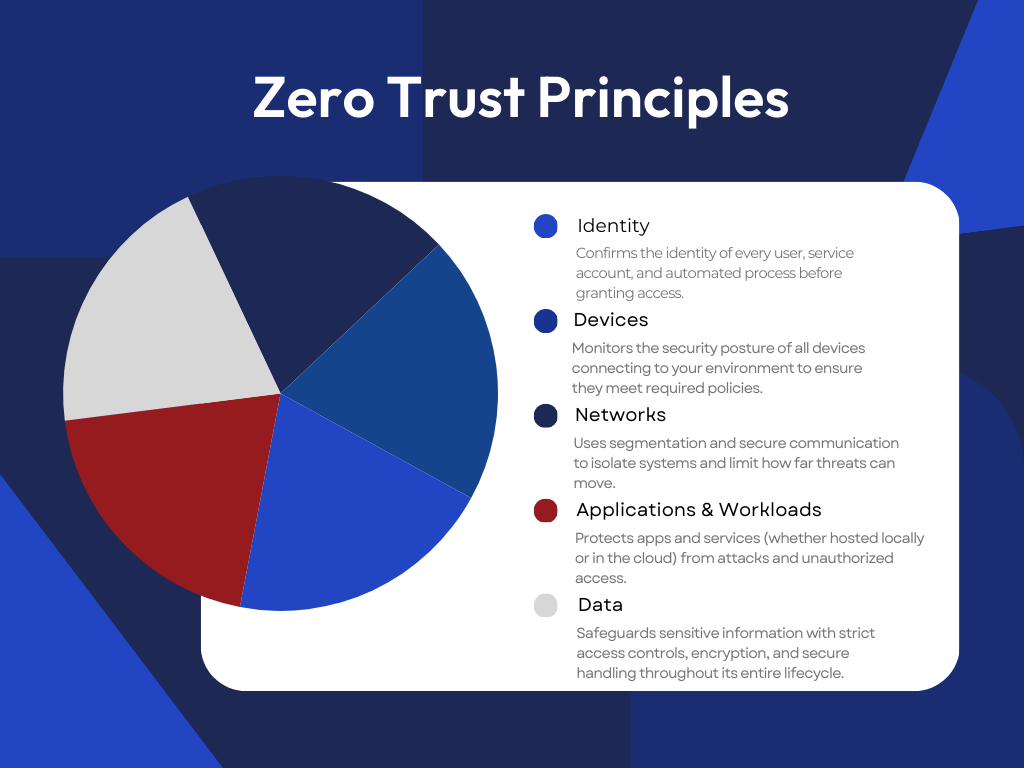
Traditional security assumes that once you’re inside the network, you’re trusted. Zero Trust rejects that idea completely. No user or system is trusted automatically: every request needs verification, and access is limited to only what’s necessary.
Zero Trust is not a product you can buy. It’s a strategy that influences your hosting setup, your applications, and how your team manages identity and access. Vendors offer tools that support Zero Trust, but no platform delivers it alone. That’s why Zero Trust is especially relevant in hosted environments where you don’t control the physical network layer.
Why Zero Trust Matters Now for Hosted Apps
Zero Trust jumped from niche concept to mainstream necessity because modern environments are fundamentally different from traditional office networks. Today’s workloads run across shared hosting, VPS, cloud, SaaS, and hybrid platforms. Teams operate remotely and across multiple time zones. Communication happens on tools like Discord that weren’t designed with enterprise security in mind. Applications use APIs and microservices that each need independent identity checks. And WordPress faces 13,000 attacks per day, making strong identity controls essential.
Trusting a “safe” internal network is no longer realistic. Zero Trust gives you an approach that works whether your assets live on shared hosting, managed WordPress, or multi-cloud infrastructure.
How Hosting Choices Shape Your Zero Trust Strategy
Understanding why Zero Trust matters is one thing. Implementing it starts with a practical question: where does your infrastructure currently sit? Your hosting platform doesn’t determine whether you can implement Zero Trust, but it does define your starting point.
Shared Hosting Through a Zero Trust Lens
Shared hosting is a common entry point for small teams. To support Zero Trust principles, it relies on strong isolation and automated protections, including account isolation, Web Application Firewall (WAF) filtering, DDoS mitigation, and automatic updates and malware scanning.
These built-in controls give you a foundational layer of Zero Trust without requiring complex configuration.
VPS and Cloud Hosting for Teams Ready to Advance
VPS and cloud hosting give you more control over segmentation and identity. You can design private networks, create custom firewall rules, connect identity tools like SSO, and define stronger trust boundaries for microservices or APIs.
Teams with compliance requirements often operate here because Zero Trust depends heavily on segmentation and identity management.
Managed WordPress as a Secure-by-Default Starting Point
Managed WordPress adds guardrails that align naturally with Zero Trust: automatic updates, hardened PHP settings, real-time scanning, pre-configured WAF rules, and safe staging environments. These features give you a secure baseline without needing deep technical expertise.
Real-World Applications & Zero Trust: WordPress, Discord & Microservices
Zero Trust works best when you can apply it directly to your most important workloads. Understanding the principles is useful, but the real value comes from implementing them in the specific tools and platforms your team uses every day. Here’s how Zero Trust maps to real hosted environments you’re actually working with.
Zero Trust for WordPress
WordPress benefits directly from Zero Trust principles. Start with identity: require MFA, remove unused accounts, avoid the default “admin” username, and use strong passwords. Apply least privilege by assigning only necessary roles and disabling file editing in the dashboard.
Support this with segmentation: limit access to wp-admin when possible, separate staging from production, and use a CDN to absorb malicious traffic. Continuous verification comes from regular scans and activity logging to catch unusual behavior quickly.
These improvements strengthen your WordPress security without sacrificing performance.
Zero Trust for Discord and Team Communication Tools
Discord is built for open communication, not strict security. Content sticks around, permissions can be messy, and bots introduce risk. Zero Trust gives you a way to tighten things up: require MFA for moderators and staff, remove former employees quickly, audit roles regularly, and limit what bots can see or do.
If your business needs strict compliance like HIPAA, PCI, or CMMC, Discord simply can’t meet those requirements because it doesn’t provide the verification and audit controls those standards demand.
Zero Trust for Microservices and APIs
For developers, Zero Trust means every service must prove its identity, not just the gateway. Short-lived tokens, mTLS between services, and limited network access help prevent lateral movement. Logging and anomaly monitoring help you spot unusual behavior early. Even small apps benefit from these fundamentals.
Balancing Zero Trust With Performance and User Experience
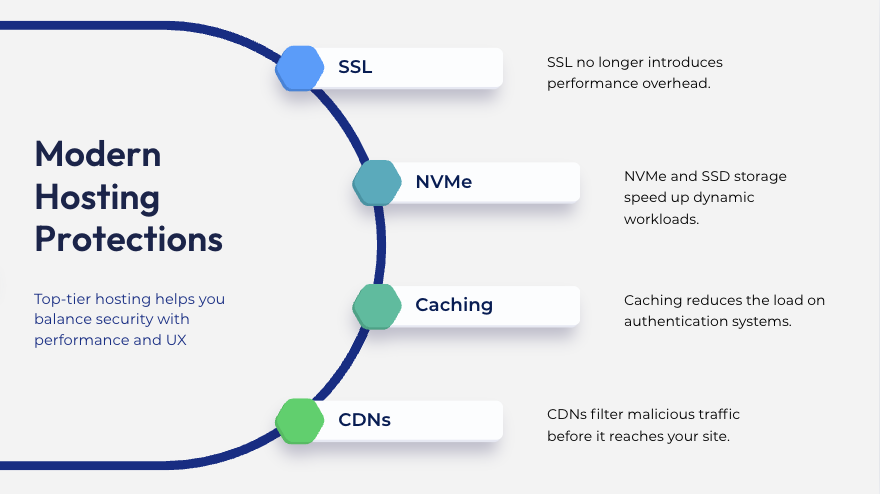
Some teams worry that Zero Trust will slow everything down. In reality, modern hosting makes these protections light-touch:
SSL no longer introduces performance overhead.
NVMe and SSD storage speed up dynamic workloads.
Caching reduces the load on authentication systems.
CDNs filter malicious traffic before it reaches your site.
On a well-engineered platform, Zero Trust security and fast performance work together, not against each other.
Reference Models: Three Clear Zero Trust Paths
Zero Trust adoption doesn’t happen all at once. Here are real examples of how teams can approach it based on their environment.
Small Business on Shared or Managed WordPress
Start with a secure foundation: WAF protections, automatic updates, malware scanning, and DDoS mitigation. Layer on MFA, strong passwords, a staging environment, and consistent backups. Provide basic user training and review access periodically to stay ahead of issues.
Growing Team on VPS or Cloud
As your needs expand, create segmented environments, introduce API gateways, implement logging and monitoring, and bring authentication under SSO. This gives your team more control while reducing friction.
Compliance-Driven Organizations
Compliance-heavy teams require strict identity rules, detailed audit logs, encrypted environments, automated certificate management, and a well-tested incident response plan. This is where full Zero Trust maturity becomes essential.
How to Evaluate Hosting Providers for Zero Trust Readiness
Ask potential providers about:
Infrastructure controls: customer isolation, patching practices, built-in DDoS mitigation.
Security visibility: access to logs, malware scanning, WAF protections.
Support quality: availability, responsiveness, SLA guarantees.
No hosting provider can “do Zero Trust for you,” but the right one makes implementing it much easier.
Zero Trust Implementation Roadmap for Hosted Environments
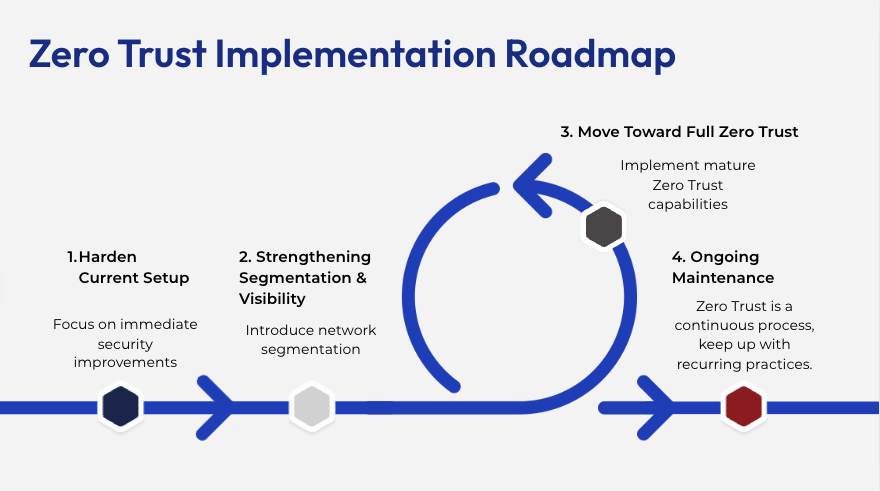
Here’s a practical timeline you can follow. This roadmap builds progressively from quick wins to full Zero Trust adoption and works for teams of any size: small business, agency, or enterprise.
Phase 1: Hardening Your Current Setup (0–30 Days)
Focus on immediate security improvements you can implement without changing your infrastructure. These are high-impact, low-friction changes that establish your security baseline.
Identity and Access Management
Enable MFA for all WordPress admin accounts, hosting control panels, and communication tools
Remove unused accounts across WordPress, FTP/SFTP, and databases
Replace default “admin” username and require strong passwords (16+ characters)
Implement password managers across your team
Software and Patch Management
Update WordPress core, plugins, and themes to latest versions
Delete unused plugins and themes before updating
Update PHP to the latest stable version
Enable automatic updates where possible
Backup and Recovery
Set up automated daily backups stored off-server
Test restoring at least one site from backup
Document restoration procedures and set up monitoring alerts
Perimeter Defense
Activate Web Application Firewall and configure rules
Enable automatic malware scanning (daily minimum)
Set up alerts for malware detection
Documentation
Create an access inventory documenting all admin accounts, hosting accounts, and third-party integrations
Establish a process for requesting and revoking access
Phase 2: Strengthening Segmentation and Visibility (30–60 Days)
Introduce network segmentation and monitoring capabilities. These changes require more planning but significantly improve your security posture.
Network Segmentation
Restrict wp-admin access by IP address or VPN
Configure SSH to require key-based authentication and disable root login
Create separate staging environments for all production sites
Establish a promotion process from staging to production
Application Segmentation
Implement API keys for service-to-service communication
Use short-lived JWT tokens (15-60 minute expiration)
Store secrets in environment variables or secret managers
Logging and Monitoring
Enable WordPress activity logging and server access logs
Configure failed login attempt monitoring and alerts
Enable file integrity monitoring for critical directories
Establish baseline behavior to identify anomalies
SSL/TLS and Database Hardening
Force HTTPS across all sites and enable HSTS
Change default database prefixes and restrict access to localhost
Regularly rotate database passwords
Rate Limiting
Configure rate limiting on login pages (max 5 attempts per 15 minutes)
Set rate limits on API endpoints
Enable CDN-based DDoS protection
Phase 3: Moving Toward Full Zero Trust (60–90 Days)
Implement mature Zero Trust capabilities with centralized identity management, advanced monitoring, and automated security workflows.
Centralized Identity Management
Implement SSO solution (Okta, Auth0, Azure AD)
Connect WordPress, hosting control panel, and communication tools to SSO
Set up conditional access policies based on device/location
Advanced Access Controls
Create location-based access rules
Implement device posture checks and risk-based authentication
Configure time-based access restrictions for contractors
Service-to-Service Security
Deploy mTLS for microservice communication
Implement API gateway to centralize authentication
Set up certificate rotation automation
Incident Response
Document incident response procedures for common scenarios (malware, breach, DDoS)
Conduct tabletop exercises with your team
Test backup restoration under time pressure
Define escalation paths and communication protocols
Automation and Monitoring
Set up automated deployment pipelines with security scanning
Implement centralized log aggregation and security dashboards
Monitor certificate expiration and failed authentication attempts
Set up anomaly detection for user behavior
Compliance
Document all security controls for audit purposes
Create compliance checklists for your industry (HIPAA, PCI, SOC 2)
Schedule regular vulnerability assessments
Phase 4: Ongoing Maintenance (90+ Days)
Zero Trust is a continuous process. Establish these recurring practices:
Monthly: Review access logs, test backup integrity, audit new user accounts, check for software updates
Quarterly: Conduct formal access reviews, test disaster recovery procedures, review rate limiting thresholds, update security documentation
Annual: Conduct comprehensive security audit or penetration test, evaluate hosting provider capabilities, conduct incident response exercises, plan next year’s security improvements
Quick Reference: Priority Matrix
1. High Impact, Easy to Implement (Do First)
Enable MFA everywhere
Remove unused accounts
Enable automatic backups
Update all software/plugins
Enable WAF and malware scanning
2. High Impact, Moderate Difficulty (Do Second)
Restrict admin access by IP
Implement staging environments
Set up logging and monitoring
Configure rate limiting
3. High Impact, High Difficulty (Do Third)
Implement SSO
Deploy API gateway
Set up advanced monitoring/SIEM
Implement automated CI/CD
Deploy mTLS for microservices
This roadmap provides a structured path to Zero Trust adoption without overwhelming your team. Start with Phase 1, measure your progress, and move forward when you’re ready. Remember: progress is better than perfection, and even partial implementation significantly improves your security posture.
Final Summary
Zero Trust is not a buzzword or a boxed security product. It’s a practical architectural approach that fits naturally with how modern websites, apps, and digital teams operate. Whether you’re securing a WordPress site, managing shared hosting accounts, building APIs, or running internal communications on Discord, Zero Trust helps reduce risk while keeping your environment fast, reliable, and user-friendly.
When paired with a hosting foundation engineered for speed, uptime, and real human support, Zero Trust helps you build a safer platform for your business to grow on, without adding unnecessary friction for your team or customers.